- 22 Aug 2026
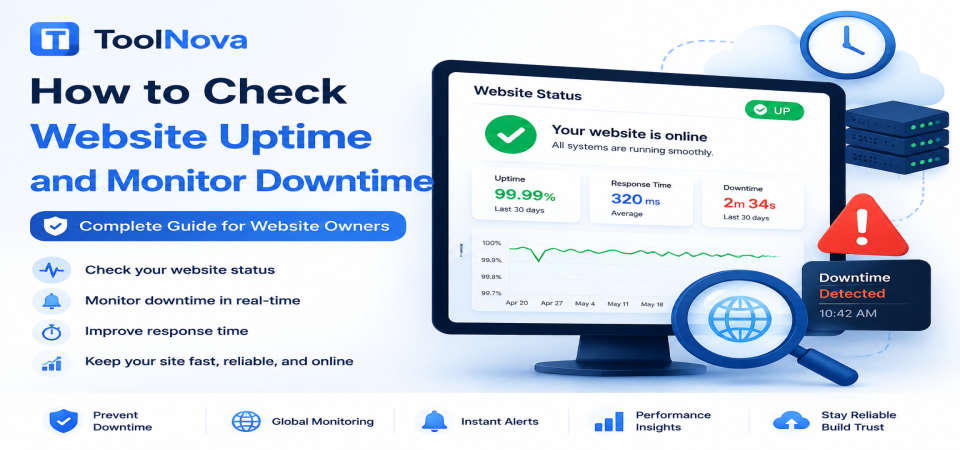
How to Check Website Uptime and Monitor Downtime (Complete Guide for Website Owners)
You get a message from a customer saying your website is not loading. You check it yourself and everything seems fine — the site opens instantly, no errors appear, nothing looks wrong.
A few hours later, you discover the website really was unavailable for a period of time. The only reason you know about it is because someone happened to report the problem.
This is the reality of running a website without uptime monitoring: you are often the last person to know when something goes wrong.
Downtime rarely announces itself to the website owner. It announces itself to visitors who happen to arrive at the wrong moment.
This guide explains what uptime and downtime mean, why websites go offline, how to check your website availability, how to troubleshoot outages, and how to reduce future downtime.
Understanding Uptime, Downtime, and Website Monitoring
Before troubleshooting website availability problems, it is important to understand the difference between the main monitoring terms.
What Is Uptime?
Uptime is the percentage of time your website is available and working correctly during a specific period.
For example:
- 99.9% uptime means your website was unavailable for around 43 minutes per month.
- 99.99% uptime means only a few minutes of downtime per month.
A higher uptime percentage means better reliability.
However, even a few minutes of downtime can matter if they happen during important moments, such as a product launch or a high-traffic campaign.
What Is Downtime?
Downtime is any period when visitors cannot properly access your website.
This can include:
- Complete website failure
- Server errors
- Database connection failures
- Timeout errors
- Pages loading incorrectly
Downtime does not always mean the entire website disappears. Sometimes only specific features fail.
For example:
- The homepage works, but checkout does not.
- Articles load, but login pages fail.
- The website works in one country but not another.
What Is Server Response Time?
Server response time measures how quickly your server responds to a visitor request.
A website can technically be online but still provide a poor experience if pages take too long to respond.
For example:
- A website that loads instantly has good response time.
- A website that takes 10 seconds before showing content has a performance problem.
Uptime tells you whether your website is available.
Response time tells you whether it is performing well.
What Is Availability Monitoring?
Availability monitoring means automatically checking your website at regular intervals to confirm that it is online.
Instead of waiting for customers to report problems, monitoring systems can notify you when:
- Your website goes offline
- A server error appears
- Response times become unusually slow
This allows you to react before a small problem becomes a bigger issue.
Why Websites Go Offline
Website downtime can happen for many reasons. Understanding the cause is the first step toward fixing it.
Hosting Problems
Your hosting provider is one of the most common causes of downtime.
Problems can include:
- Server maintenance
- Hardware failures
- Hosting provider outages
- Resource limitations on shared hosting
If your website suddenly stops working without any recent changes, checking your hosting provider status page is a good first step.
Server Overload
A website can crash when it receives more traffic than the server can handle.
Common causes include:
- Viral content
- Marketing campaigns
- Sudden traffic spikes
- Aggressive bots
When server resources are exhausted, visitors may see:
- Slow loading pages
- Timeout errors
- 503 Service Unavailable errors
DNS Problems
DNS connects your domain name to your website server.
If DNS settings are incorrect, visitors may not reach your website even if the server itself is working.
Common DNS problems include:
- Incorrect DNS records
- Recent domain migration
- Failed DNS changes
- Propagation delays
From the visitor's perspective, DNS problems can look exactly like website downtime.
Software Errors
Website updates can sometimes introduce problems.
Examples:
- Broken plugins
- Failed CMS updates
- Incorrect configurations
- Programming errors
This is especially common on websites using content management systems.
Testing updates before applying them to a live website can prevent many of these issues.
Database Failures
Many websites depend on databases to display content.
If the database becomes unavailable, the website may show:
- Database connection errors
- Blank pages
- Missing content
- Application failures
Database problems can happen because of:
- Server overload
- Corrupted data
- Configuration mistakes
Security Issues
Security incidents can also cause downtime.
Examples include:
- Malware infections
- DDoS attacks
- Unauthorized changes
- Hosting providers disabling compromised websites
These situations usually require security investigation, not just a simple restart.
How to Check Website Uptime
Opening your website in your own browser is the easiest test, but it is not always accurate.
Your website may work for you while being unavailable for:
- Other locations
- Different networks
- Mobile users
A proper check should examine the actual server response.
ToolNova's Website Status Checker allows you to check a URL and see its HTTP response status, including whether the website returns:
- 200 OK (working normally)
- 404 Not Found
- 500 Server Error
- Redirect responses
- Connection problems
This makes it easier to understand whether the issue is your browser, your network, or the website itself.
For long-term protection, automated uptime monitoring is recommended because it checks your website continuously and alerts you when problems appear.
What to Check When Your Website Is Down
1. Confirm the Problem
First, make sure the website is actually down.
Try:
- Another internet connection
- Mobile data
- Another device
- An external status checker
This helps identify whether the problem affects everyone or only you.
2. Check HTTP Status Codes
Different errors mean different problems.
Examples:
- 200: Website working normally
- 301/302: Redirect response
- 404: Page not found
- 500: Server-side error
- 503: Service unavailable
Knowing the exact response helps you find the cause faster.
3. Check Hosting Status
If your hosting provider has an outage, there may be nothing wrong with your website configuration.
Check their official status page before making unnecessary changes.
4. Review Recent Changes
Ask yourself:
- Did you install a plugin?
- Did you update your website?
- Did you change DNS settings?
- Did you modify server settings?
Many outages happen immediately after a change.
5. Check Server Resources
High CPU usage, memory limits, or database overload can cause downtime.
Review:
- CPU usage
- RAM usage
- Database activity
- Traffic spikes
How to Reduce Website Downtime
Choose Reliable Hosting
Cheap hosting may save money initially but can create reliability problems as your website grows.
Choose hosting based on:
- Expected traffic
- Resource requirements
- Support quality
Test Changes Before Publishing
Use a staging environment before applying major changes.
This helps detect:
- Plugin conflicts
- Coding errors
- Configuration problems
before visitors see them.
Keep Software Updated
Outdated software can cause:
- Security vulnerabilities
- Compatibility issues
- Website crashes
Regular updates reduce these risks.
Maintain Backups
Backups allow you to recover quickly after:
- Failed updates
- Database problems
- Security incidents
A backup is only useful if it has been tested.
Monitor Your Website Automatically
Manual checking is not enough.
Automated monitoring helps you discover problems immediately instead of waiting for visitors to complain.
Why Website Uptime Matters
SEO
Short occasional outages usually do not destroy rankings.
However, frequent or extended downtime can make it harder for search engines to access and crawl your content consistently.
Reliable availability supports better crawling and website stability.
User Experience
Visitors expect websites to work immediately.
Repeated downtime can make users:
- Leave the website
- Choose competitors
- Lose trust in your brand
Revenue
For online businesses, downtime can directly cause:
- Lost sales
- Failed purchases
- Missed leads
- Reduced advertising performance
Every minute offline can have a cost.
Brand Reputation
A website is often the first interaction people have with a business.
Frequent outages create the impression that the company is unreliable.
Website Uptime Monitoring Checklist
Before considering your website properly monitored, check that:
- Your website is checked automatically
- Downtime alerts are enabled
- Backups are available
- Hosting information is documented
- DNS settings are recorded
- Website changes are tested before publishing
- Someone is responsible for responding to outages
Frequently Asked Questions
How can I check if my website is down?
Use an external website status checker to verify the server response. Testing only from your own browser may not show problems affecting other visitors.
What is a good uptime percentage?
Most professional websites aim for 99.9% uptime or higher. Critical services may require even higher availability.
Does downtime affect SEO?
Occasional short outages usually have little impact. Frequent or long outages can affect crawling and user experience.
What is the difference between downtime and slow loading?
Downtime means the website cannot be accessed correctly. Slow loading means the website works but responds poorly.
How often should I monitor my website?
Continuous automated monitoring is recommended because problems can happen at any time.
Final Thoughts
Website downtime is impossible to eliminate completely. Servers fail, updates break, and unexpected problems happen.
The difference between a minor issue and a serious outage is often how quickly you discover and fix it.
Regular uptime checks, proper monitoring, reliable hosting, and good maintenance practices help keep your website available and protect your visitors' experience.
A website that works consistently builds trust — and trust is one of the most valuable assets any online business can have.
Internal linking suggestions for future ToolNova articles:
- Link with SSL troubleshooting article when discussing HTTPS-related availability problems.
- Link with DNS Lookup tool article when explaining DNS failures.
- Link with HTTP Status Codes article when explaining server responses.
- Link with Google Index Checker article when discussing crawling problems caused by downtime.




&media=https://chefnova.biz/assets/images/frontend/blog/6a8a126bd13691787433579.png)